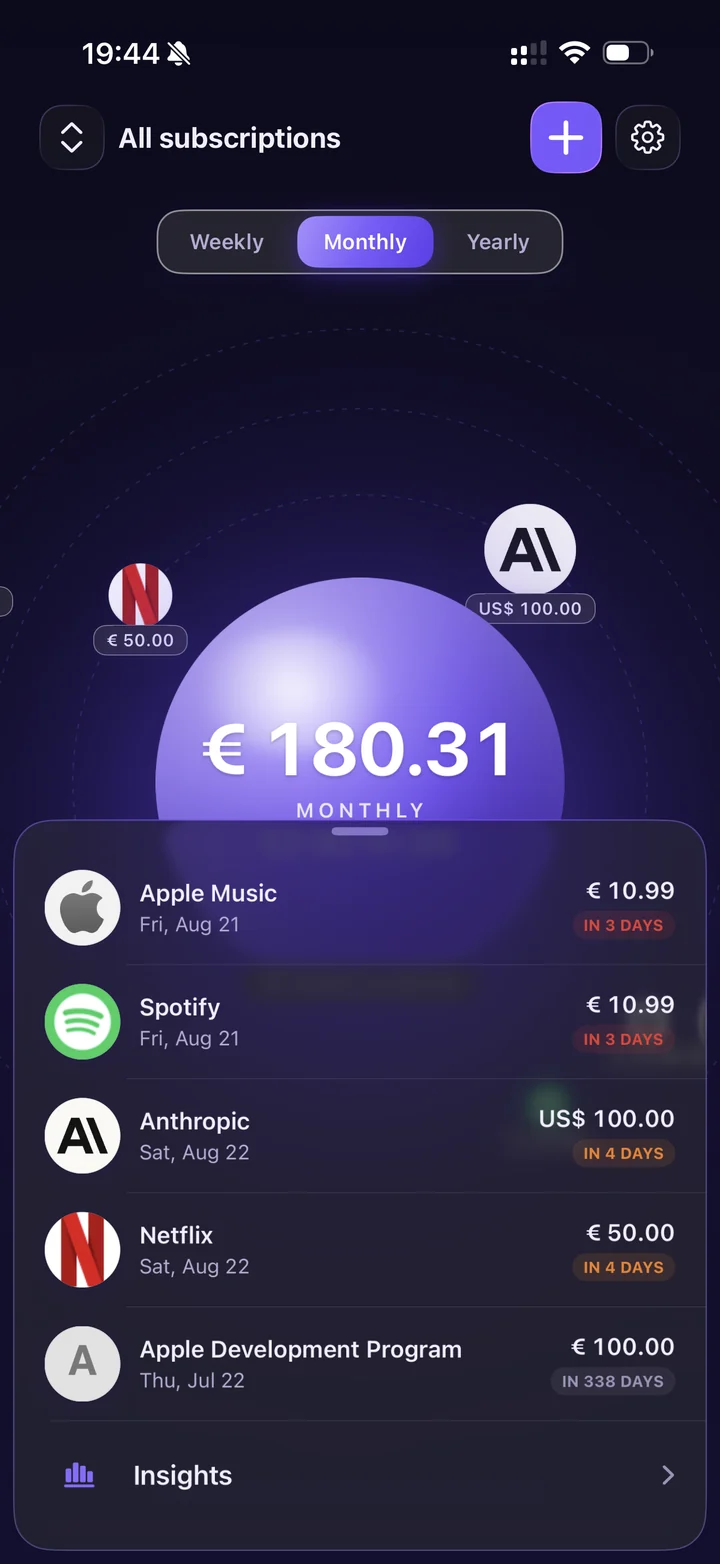
See every recurring charge.
One calm, glanceable view. Your total sits at the centre; every subscription orbits it with its own price tag. Flip between weekly, monthly and yearly, and switch profiles from the header to look at one set of subscriptions at a time.
Paying in more than one currency? SubOrbs converts everything into your main currency and marks the total as mixed currencies, so you always know when a rate is involved.
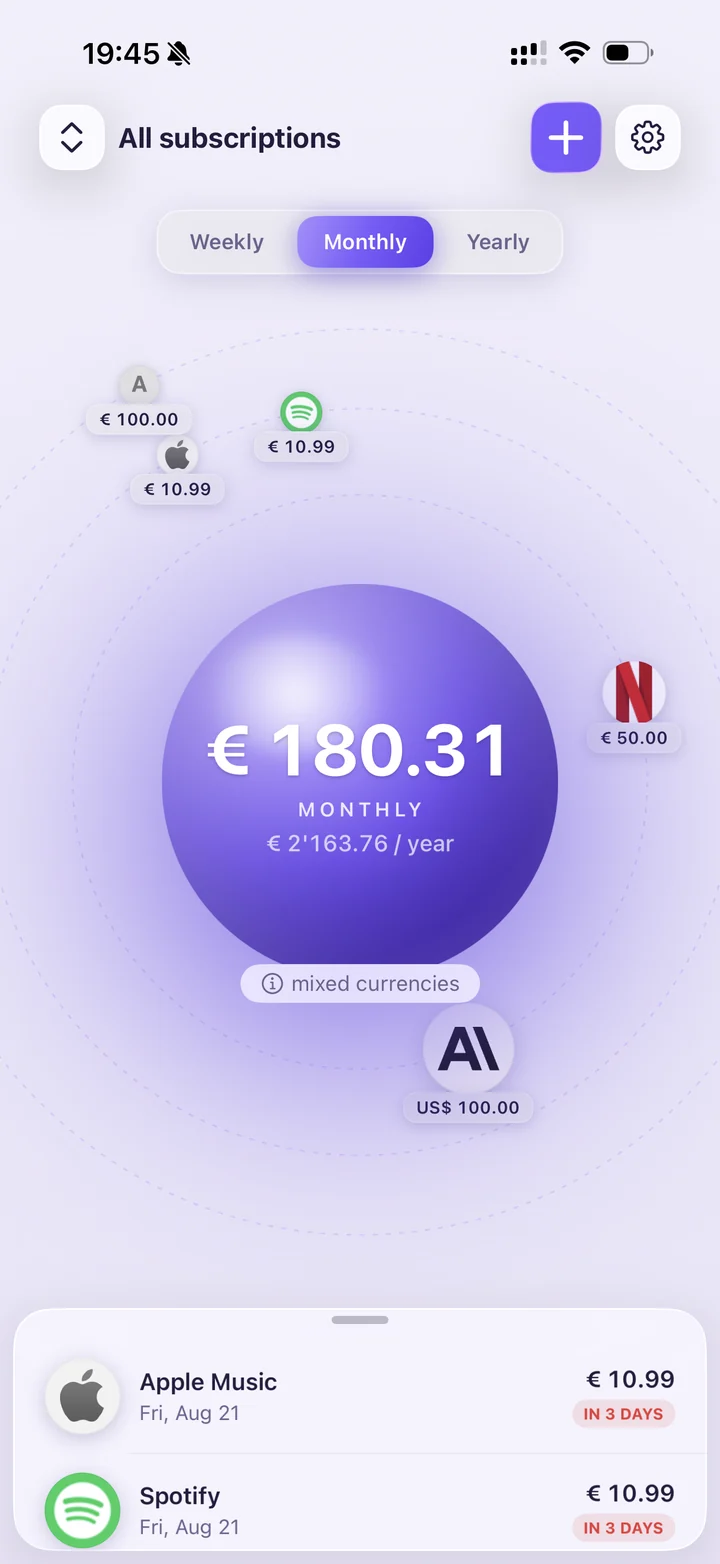
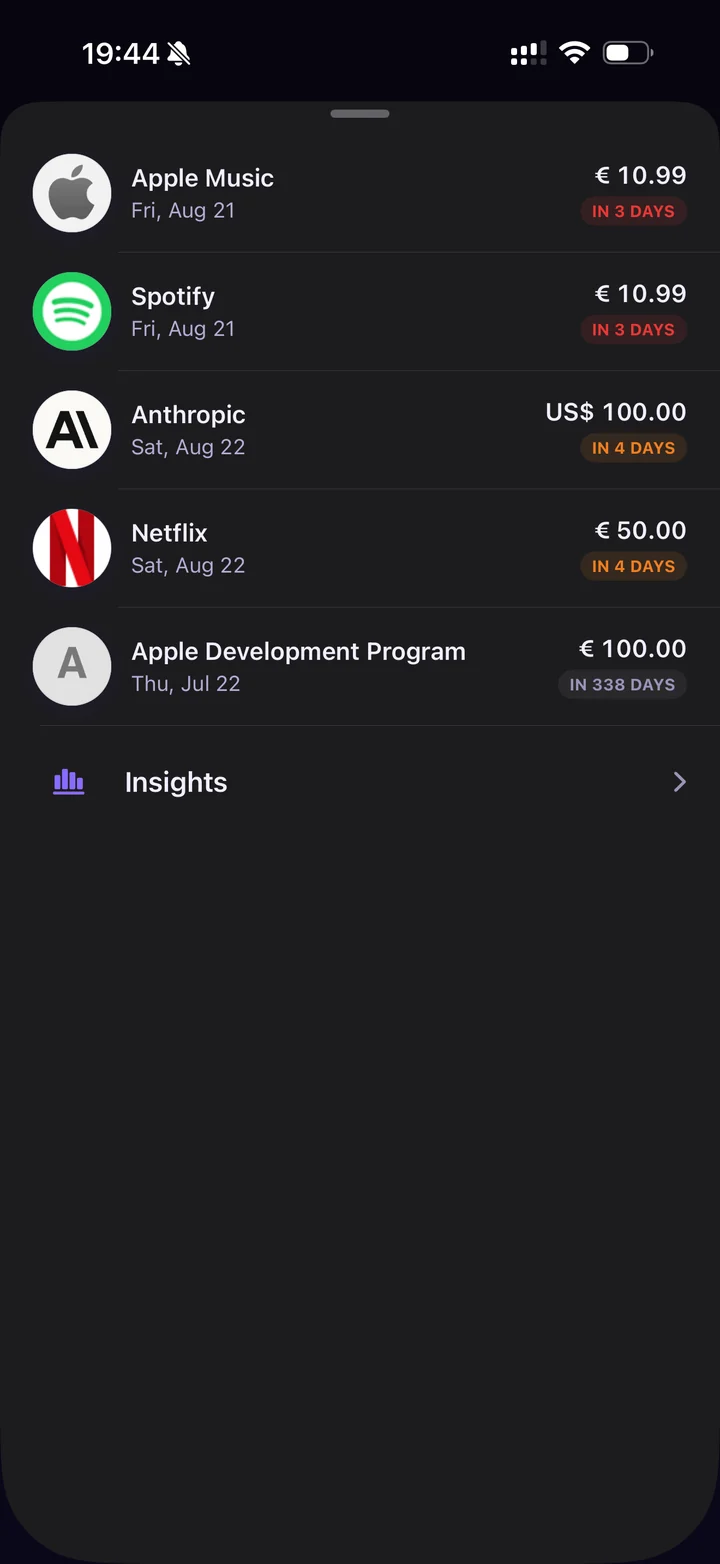
Know what's about to be charged.
Pull up the sheet and every subscription is there, sorted by what hits your card next. A colour-coded countdown — in 3 days, in 4 days, in 338 days — tells you how much room you still have to cancel.
Tap Insights for the bigger picture: where the money actually goes, month over month.
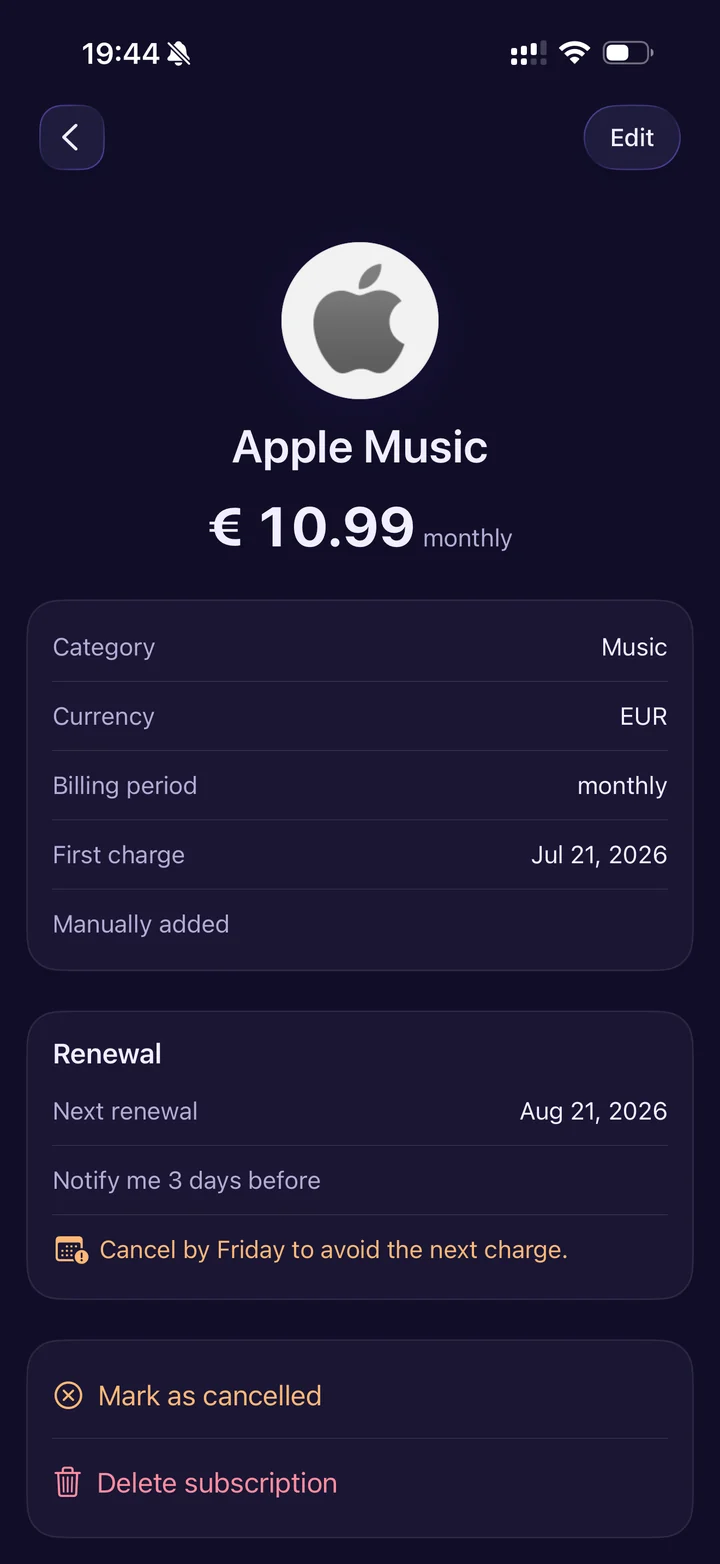
One tap for the whole story.
Category, currency, billing period, first charge, next renewal — all on one screen. Set how many days ahead you want to be warned, and SubOrbs works out the deadline for you: “Cancel by Friday to avoid the next charge.”
Cancelled it? Mark it as cancelled and keep the history, or delete it outright. Nothing is kept behind your back.
Never miss a cancellation window.
Choose a lead time per subscription and SubOrbs schedules a local notification on your iPhone — “Apple Music renews in 3 days. Cancel by Friday to avoid the € 10.99 charge.” Quiet, specific, and never more than you asked for.
Reminders are scheduled by iOS on your device. No push server, no notification ever routed through us.
Snap a bill instead of typing it.
Point the camera at a bill or pick a screenshot, and SubOrbs fills in the name, amount and billing period for you. Everything it finds is shown for review before anything is saved.
This is the one feature that uses the network. The image is downscaled and stripped of EXIF/location data on your iPhone, then sent over HTTPS to our reader (which passes it to OpenAI) and discarded — it is never stored or reused. If you never use Snap & Read, nothing ever leaves your device. Read exactly what happens →